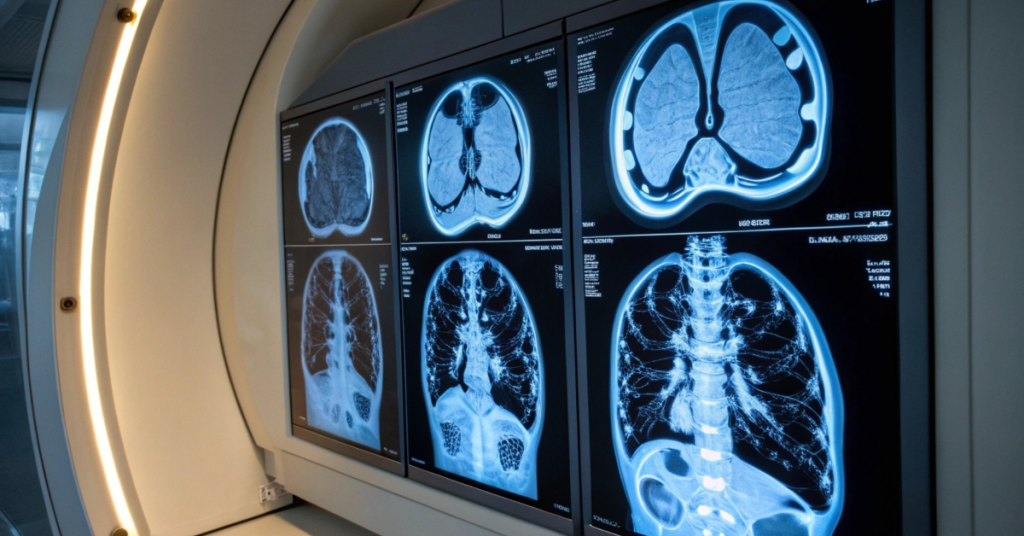
A radiologist at a busy hospital reads between 50 and 100 scans per day. Each scan needs to reach the right doctor, get interpreted accurately, and have its report delivered back to the referring physician. Multiply that across a department with several radiologists, multiple imaging machines, and thousands of patients per month. Without proper systems in place, the whole operation falls apart.
The days of printing films and physically carrying them between departments are long gone. Radiology has moved to systems that store, manage, and distribute images and reports electronically. Understanding how these systems work helps practice managers, administrators, and healthcare professionals make better decisions about their imaging departments.
What These Systems Actually Do
A radiology information system handles the administrative side of imaging. It schedules appointments, tracks patient information, manages billing, and generates reports. Think of it as the backbone that keeps the department organised.
The system connects to other hospital systems like electronic medical records. When a doctor orders a CT scan, that order flows into the radiology department automatically. The patient gets scheduled, the technologist performs the scan, the radiologist interprets it, and the report goes back to the ordering physician. All of this gets tracked and documented.
RIS radiology information system platforms have become standard in modern healthcare facilities. They replace paper logs, manual scheduling, and filing cabinets full of patient records. The efficiency gains are substantial.
The Difference Between RIS and PACS
Two acronyms come up constantly in radiology departments: RIS and PACS. They serve different purposes but work together.
RIS software manages the workflow and administrative tasks. It knows which patients are coming, what studies they need, and who will perform and interpret them.
PACS radiology software handles the images themselves. PACS is the system that stores the actual scans—X-rays, CTs, MRIs, ultrasounds—and makes them available for viewing on workstations throughout the facility.
When a technologist completes a scan, the images go to the PACS. The RIS tells the PACS which patient those images belong to and what study was performed. The radiologist then views the images through PACS while the RIS tracks who is reading what and when.
PACS imaging software has grown sophisticated over the years. Modern systems can store millions of images, display them across multiple monitors, and allow radiologists to manipulate views, adjust contrast, and measure structures with precision.
Why Workflow Matters So Much
A poorly designed radiology workflow creates bottlenecks. Studies pile up waiting to be read. Urgent findings get delayed. Referring physicians wait too long for reports. Patients wait too long for diagnoses.
Good workflow design moves studies through the department efficiently. The right scan goes to the right radiologist at the right time. Urgent cases get flagged and prioritised. Routine studies flow through in order without getting lost.
Radiology software helps automate much of this. Rules can route specific study types to specialists. Algorithms can flag certain findings for immediate attention. Dashboards show department leaders where backlogs are building.
The best systems adapt to how radiologists actually work. Some prefer to batch similar studies together. Others work through cases as they arrive. Flexible workflow tools accommodate different working styles while still keeping the department running smoothly.
The Reporting Side
Interpreting images is only half the radiologist’s job. The other half is communicating findings to the referring physician. This happens through the radiology report.
Radiology reporting software has changed how these reports get created. Voice recognition allows radiologists to dictate findings while viewing images. Structured templates prompt for specific observations. Previous reports come up automatically for comparison.
A good report is clear, concise, and actionable. It tells the referring physician exactly what was seen and what it means for patient care. Modern reporting tools help radiologists create consistent, high-quality reports quickly.
Integration matters here too. Reports need to flow back to ordering physicians through whatever system they use. If the cardiologist uses one electronic record system and the surgeon uses another, the radiology report needs to reach both of them in their own systems.
Storage and Access Challenges
Medical images take up enormous amounts of storage space. A single CT scan can contain hundreds of images. An MRI might have even more. Multiply by thousands of patients per year, and storage requirements grow fast.
PACS medical imaging software addresses this with tiered storage approaches. Recent studies stay on fast storage for quick access. Older studies move to less expensive archive storage. Very old studies might move to long-term archives that take longer to retrieve but cost much less to maintain.
Access presents another challenge. Radiologists need to view images at their workstations. Physicians in clinics need to see scans on their computers. Patients increasingly want access to their own images. All of this needs to happen securely, with proper authentication and audit trails.
Cloud-based options have become more common. Images get stored off-site and accessed over secure networks. This reduces the need for expensive on-site infrastructure and makes images available from more locations.
Choosing the Right Setup
Every radiology department has different needs. A small imaging centre with two X-ray machines needs something very different from a teaching hospital with multiple MRI scanners, CT machines, and specialised equipment.
Radiology information system software comes in many forms. Some solutions bundle RIS and PACS together as integrated packages. Others specialise in one area and connect to other systems through standard interfaces.
Budget matters, of course. Smaller practices might start with basic systems and add features as they grow. Larger facilities need enterprise-grade solutions that can handle high volumes and complex workflows.
Training is often underestimated. The best software does nothing if staff do not know how to use it properly. Look at what training and support comes with any system under consideration.
Integration with the Broader Healthcare System
Radiology does not exist in isolation. Imaging studies get ordered by physicians throughout the hospital and clinic system. Results need to flow back to those physicians and into patient records.
HL7 and DICOM are the standard protocols that allow different healthcare systems to communicate. HL7 handles text-based information like patient demographics and orders. DICOM handles medical images themselves.
A well-integrated setup means orders flow automatically from electronic medical records to the radiology department. Images and reports flow back without manual intervention. Everyone works from the same information.
Poor integration creates extra work. Staff end up manually entering information in multiple systems. Errors creep in when data gets typed twice. Reports get delayed when they have to be manually attached to patient records.
Looking at Return on Investment
Investing in proper radiology information system software pays back through several channels. Radiologists read more studies in less time. Billing gets more accurate and complete. Staff spend less time on administrative tasks.
Less obvious benefits matter too. Faster turnaround on reports means faster diagnoses. Better organised worklists mean urgent cases get read sooner. Fewer lost studies and miscommunications mean fewer frustrated physicians and patients.
The cost of not investing is real. Manual processes consume staff time. Inefficient workflows limit how many studies a department can handle. Poor reporting tools slow down radiologist productivity.
Radiology departments that run well look very different from those that struggle. The difference often comes down to the systems supporting the work. Good tools let skilled professionals focus on what they do best—helping patients through accurate imaging interpretation.